
New Settings Hub
A beautiful new home for all your TrilbyTV configuration options

Dom Barnes
Today we’re introducing a redesigned Settings experience as part of our v6 rollout, bringing all the key management tools into one clearer, more organised place. Instead of spreading account and platform controls across multiple areas, the new Settings hub makes it easier for administrators to manage appearance options like colours, logos, calendar preferences, and video quality, alongside important system settings such as contacts, terms agreements, signup controls, and billing.
We’ve also made day-to-day administration much simpler. Customers will be able to manage categories and groups from a more streamlined interface. As we update the tools in line with our v6 vision, we’re enhancing all our tables with better sorting, searching and pagination to make it easier for those dealing with large quantities of content in their TrilbyTV account. We’ve also added bulk actions where we can to make work easier. These changes are designed to reduce admin overhead and make it faster to keep organisations set up correctly as teams grow.
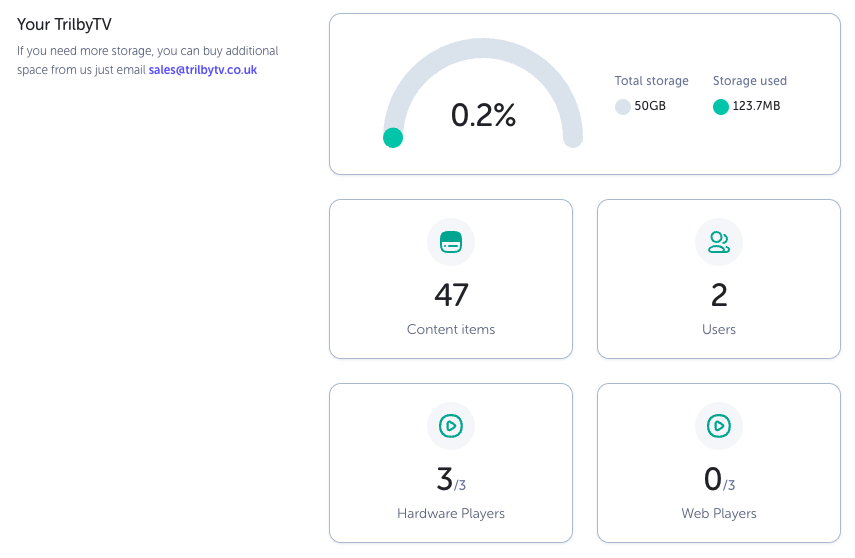
Alongside the new management tools, v6 also introduces an updated Stats area to give customers better visibility into their platform activity and show actions where needed so you can stay in control of your account. This includes insights such as active users, storage consumption, player usage, and content mix, helping teams understand engagement and monitor how their TrilbyTV environment is being used over time.
Full Changelog
New
Settings - a new place for all your TrilbyTV configuration.
General — See current information on your account, get your TrilbyTV Code for new users, and change some account wide options
Appearance — Add your logo, brand colours, and set your video quality options
Categories — Create categories for organising content and assigning to screens
Contacts — Manage your contacts, so the right people get the right updates
Groups — Set up and manage Groups to help organise your content, playlists, users, announcements and players.
