
Players Updates
Do more with your players with our latest updates

Dom Barnes
Last month we released the first update in a major user interface overhaul, internally we're calling v6. It started with our new Player Schedules calendar view, which introduced a new way to see what content will be on your screens giving you a week at-a-glance view of all your schedules, as well as adding support for weekly repeating schedules, making it easier to set up schedules for school clubs, lunch menus, and other repeating events beyond your usual weekly rota. This update also introduced our first new sidebar, a place for us to put lots of settings that you use less often, giving more space on the page to see the important things.
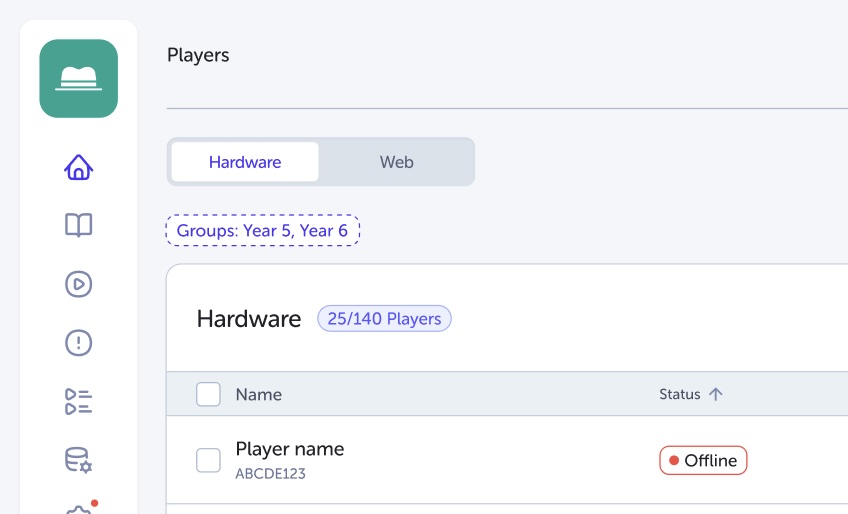
Today we’ve introduced the next part of v6 - a more powerful and streamlined Player management experience. You can now search and filter Players by Name, Player Code, and Device Type, as well as filter lists by your assigned Groups. The new list pagination ensures large Player sets load quickly, helping you navigate systems efficiently. We’ve also revamped the list view to provide clearer Player status messaging and a significantly cleaner experience on mobile devices.
Supporting your day-to-day operations is now faster and more intuitive. The updated Player Information view gives you quick access to all the details needed for support enquiries, while new Quick Actions allow you to update player codes, disconnect players, clear cache, or reset a player directly from the list view. Additionally, the new Configuration Sidebar makes it easier to manage Corner settings and clone Player configurations in just a few clicks.
The focus of v6 is to make it easier and quicker to do the functions you need to do the most, presenting a cleaner experience without losing the tools you use every day. Our core ethos is making powerful signage software built for schools easy to use, because we know that your time is valuable and best spent doing your job, not managing screens.
The v6 rollout will continue throughout the year as we review and refresh all areas of the platform, updating existing features and bringing in some powerful new tools along the way. We've got plenty more in-store this year for TrilbyTV
This release focuses on speed, clarity, and usability—making Player management easier to use and more responsive across all devices.
Full Changelog
New
Search and Filter - easily filter Players with Name, Player code and Device type search, filter lists based on your Groups
Player Information - grab all the Player info you need for support enquiries
Quick Actions - Update player codes, Disconnect players, Clear cache and Reset player, all from the list view
List Pagination - To load your list of Players quickly
Configuration Sidebar - Manage your Corner settings and easily Clone player settings in the new sidebar
Improved
Revamped list view
Clearer Player Status messages
Cleaner view on mobile devices
